How Do I Check for Multiple Compete Codes?
To check if there are multiple campaigns using the same compete codes:
1.From Ad Management, click Campaigns.
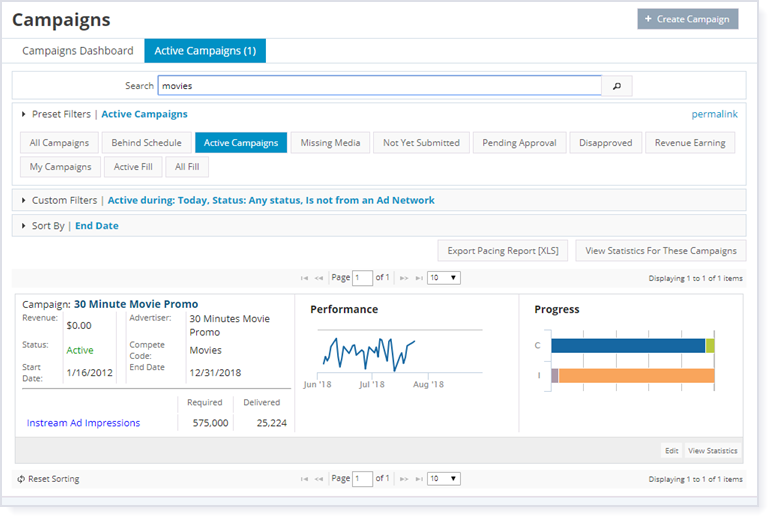
2.Click Active Campaigns.
3.In the search box, type in a compete code such as insurance or movies, and then press Enter or click the search button  . All of the campaigns that have that compete code are listed on the screen.