Campaigns Dashboard
The Campaign Dashboard provides a summary of campaigns of interest in the system. To get additional information on each campaign, click the campaign's name or the Active Campaigns tab.

Click the Ad Management tab, then the Campaigns sub-tab. |
Highest Earning Active Campaigns
This section gives a quick glance at the highest revenue generating campaigns.
Campaigns Behind Schedule
The ads in this section (which includes both gateway ads and in-stream ads) are not meeting their required plays/impressions. This can happen when the available impression or play inventory has been oversold or there are too many ads scheduled in certain dayparts or in certain compete codes. Ways to rectify this situation include lowering the required plays/impressions, expanding the dayparts or the length of the campaign, canceling other campaigns with the same compete code, increasing the targeting parameters, and increasing the priority of the campaign or ads.
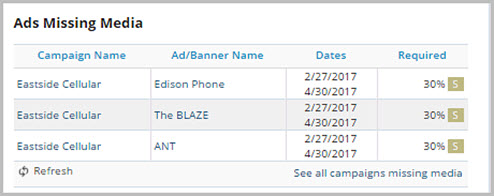
Ads Missing Media
This section lists ads and companion banners in flights scheduled to begin in the next week that are missing media. To prevent dead air, upload media files for these ads.
Campaigns Pending Approval
This section gives an overview of the campaigns that are waiting for an administrator to approve them. Non-approved campaigns are displayed by oldest from top to bottom and can display up to 25 at one time.

Campaigns Not Yet Submitted
This section lists the campaigns that are not active due to lack of submission for approval. When drilling into the campaign, the page has a prompt at the top asking the user to submit the campaign for approval. This section is organized with the newest campaigns on top.