Ad Management Dashboard
When you first log in, you are on the Ad Management Dashboard. The Ad Management Dashboard can be broken down as follows:
Stations Not Inserting Ads
This area displays a list of any stations that are currently not inserting ads, excluding disabled stations or stations that have not injected for more than 90 days.

|


In-Stream Delivered by Priority
This area displays a graph indicating the number of in-stream ads delivered to users, sorted by priority.
|



Live Audience Graph, Trailing 24 Hours
This graph shows the number of people listening at different times.
Hover your pointer over the line to view the specifics of that point in time:
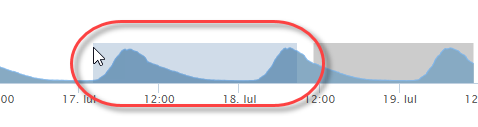
To change the period of time displayed, use your mouse to highlight a range on the lower part of the graph by clicking and dragging:
|

Campaigns Pending Approval
|
Ads Missing Media
This table lists all individual ads that do not currently have media associated with them and therefore are not playing properly.
|