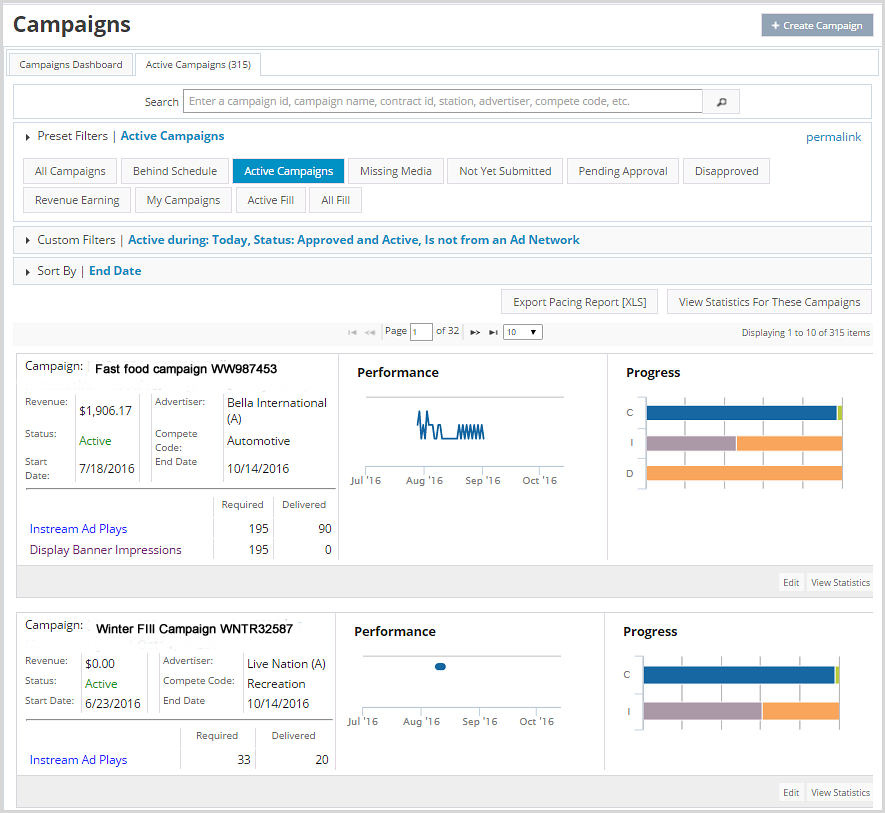
Active Campaigns Tab
By default, the Active Campaigns tab lists all active campaigns in the system. Use the Preset Filter or Customer Filters to show any campaigns in the system including: all campaigns, campaigns behind schedule, campaigns with gateway ads, and more. Export the Pacing Report or view campaign statistics from this screen as well.
For instructions on how to export the Pacing report, click here.
To view campaign statistics from this page, click View Statistics for These Campaigns. The link goes to the AD Statistics Report.