Stations
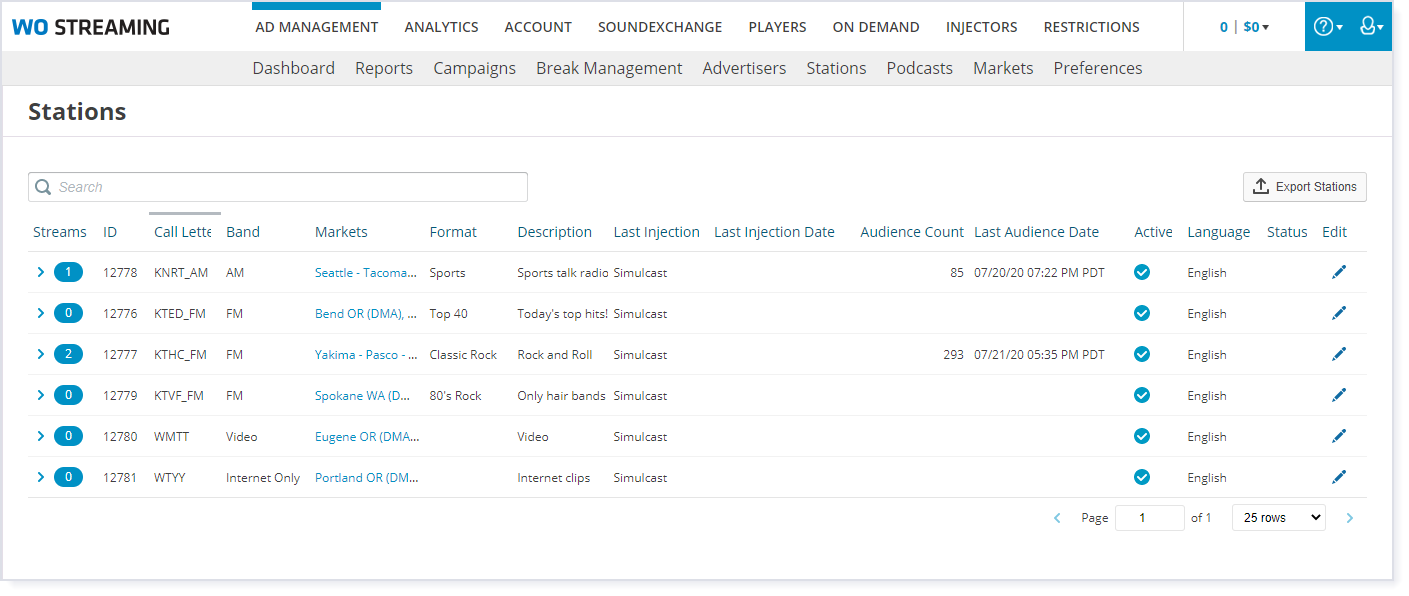
The Stations tab gives you an overview of all the stations in your system. You can see at a glance how many streams are running per station, the injection type, status, and more.
Click the Ad Management tab, then the Stations sub-tab. |
 View the list of stations screenshot
|
Station Details View
To view detailed information about a station, click the expand icon  next to the number of streams for that station, in the leftmost column. This detailed view includes:
•Station uptime: Combined total uptime for all streams over the last 60 days.
•Downtime: Combined total of all stream down events that have happened within the last 60 days.
•A list of blackouts (if any)
•A list of the streams currently being used.
You can listen in on a stream by clicking the Preview button on that stream's line in the table.
View the station details screenshot
|

Station Status
There are several status icons. You can click an icon to see what it means, or check this list:
Icon |
Meaning |
|---|---|
|
Geofenced Blackout: The station is currently in a blackout defined by geographic area. Only users in the defined area receive the stream, everyone else receives alternate content. You can see more about the current blackout by going to the Restrictions tab. |
|
DMA Blackout: The station is currently in a blackout defined by market. Only users in the defined market receive the stream, everyone else receives alternate content. You can see more about the current blackout by going to the Restrictions tab. |
|
Streaming: users can connect to the station's stream. |
|
Silence: users can connect to the station's stream, but the stream contains no content. Ensure audio is reaching the encoding computer and the encoding software is pulling audio from the correct source. If you cannot resolve the issue, contact AmperWave Streaming Support. |
|
Stream Down: users cannot connect to the station's stream. Ensure the streaming computer is online and has internet access, and the encoding software is running. If you cannot resolve the issue, contact AmperWave Streaming Support. |
|
Metadata Down: users can connect to the station's stream, but metadata (like a song's title and artist) is not being included for the player to display. Confirm the encoding software is receiving metadata. If you cannot resolve the issue, contact AmperWave Streaming Support. |


