Running a Ratings Report
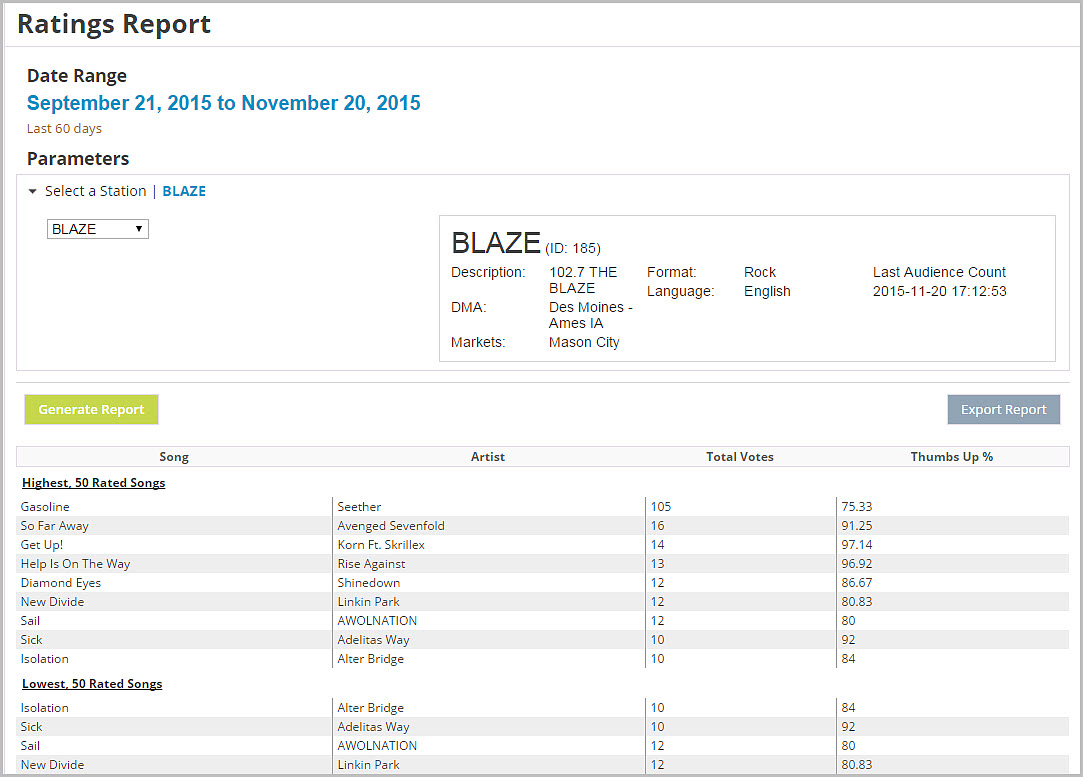
A ratings report displays the Highest 50 rated songs, the Artist, Total Votes, and the Thumbs Up Percentage.
Note: A song currently needs to have a minimum of 10 ratings (votes) before it will show in the report. The limit will be lowered to 3 ratings (votes) in the future.

Click the Ad Management tab, then the Players sub-tab, then select Ratings Report. |
To run a ratings report:
1.On the Ratings Report page, click the date to select a date range.
2.In Select a Station, click the drop-down menu to choose a station.
3.Click Generate Report.
4.Click Export Report to export the results into a Excel spreadsheet.