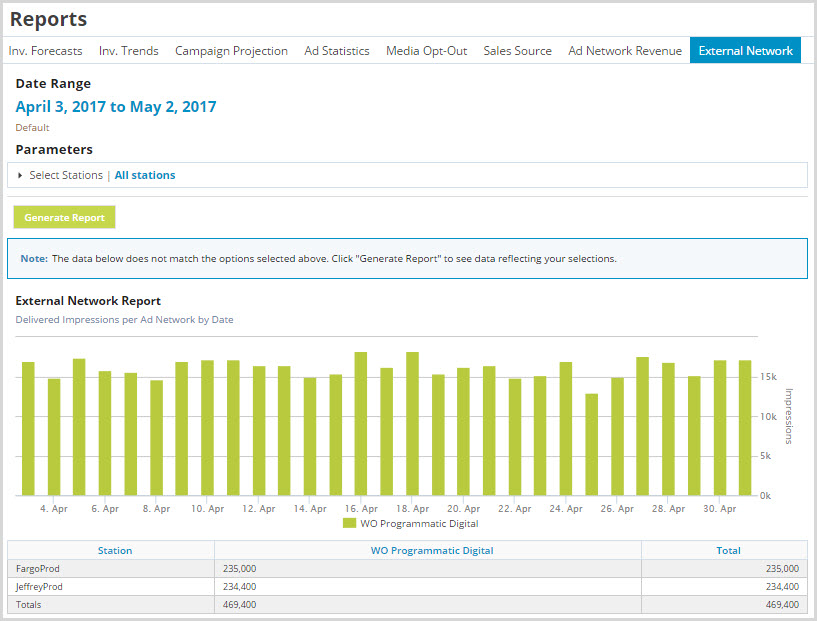
Running an External Network Report
This report shows impressions generated from external ad networks that the customer is opted into such as TargetSpot, Triton A2x, or WO Programmatic Digital.

Click the Ad Management tab, then the Reports sub-tab, then select External Network. |
To run an external network report:
1.On the External Network page, in Date Range, click the dates to select a date range.
2.In Parameters, Select Stations, click stations to move them to the Selected Sections column.
3.In Parameters, Select Resolution, select how you want the report to break up the data: daily, weekly, or monthly.
4.In Parameters, Select Timezone, indicate whether you want the report to use the stations' local time zone or UTC.
5.Click Generate Report.