Managing B2P Schedules
Access Broadcast to Podcast (B2P) functionality by clicking the On Demand tab. This menu item must be enabled for your account by AmperWave Streaming Support personnel, so if you do not see it, contact AmperWave Streaming Support.
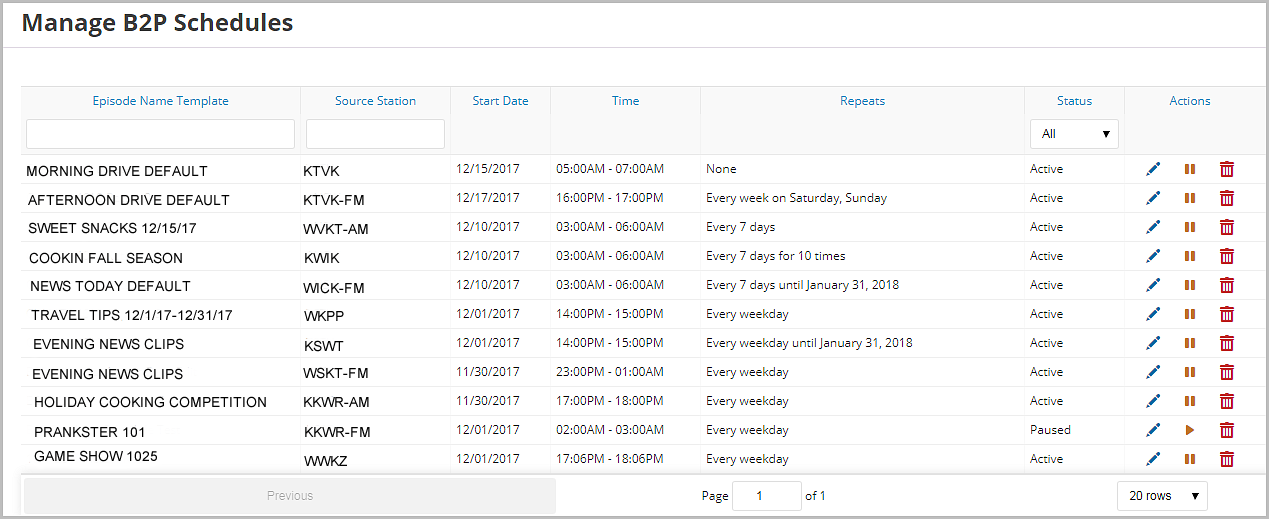
Clicking the On Demand tab lets you view, create, and edit schedules.
Schedules define what station and content will be automatically saved and uploaded to the AmperWave system for publication as a podcast.
From this screen, you can view, edit, and delete schedules.

|