How Do I View or Edit the No-Repeat Override Setting in a Campaign?
To view or edit the no-repeat override setting in a campaign:
1.From Ad Management, click Campaigns.
2.Click the campaign you want to view.
3.Click Campaign Properties.
4.In General Info, view the No-Repeat Override setting.
5.Click Edit Properties.
6.Edit the No-Repeat Override field.
7.Click Save Changes.
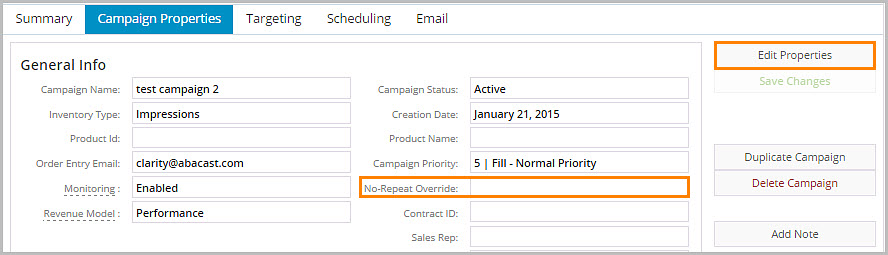
Note: Leave this blank to utilize the account level repeat settings or set it to the value you want for this campaign.